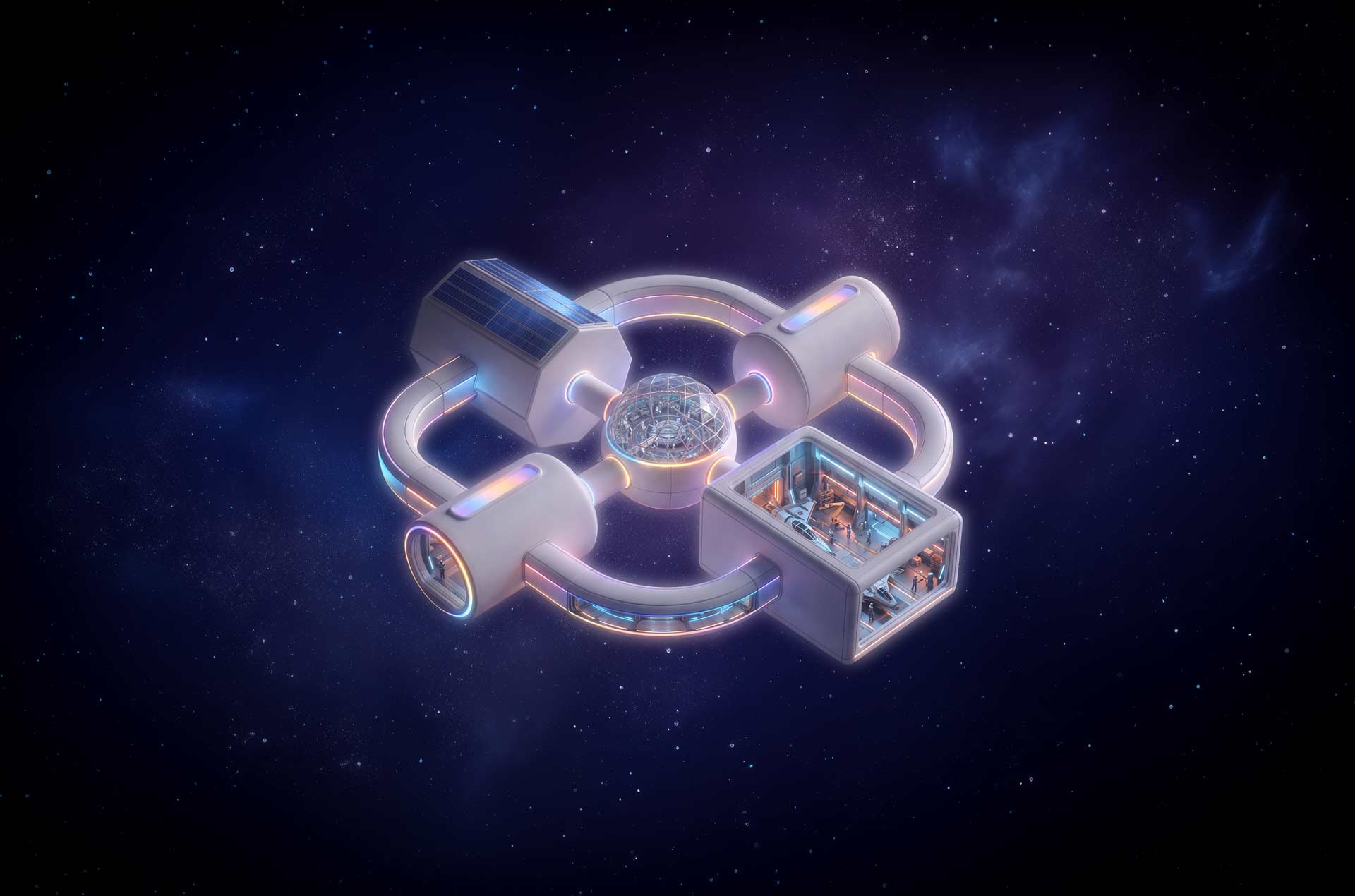
SALUS
SPACE STATION
Where MSP
growth takes flight
See clearly
Govern confidently
Secure consistently
Prove progress
SALUS Shows You How
Discover how repeatable security practices reduce complexity, strengthen resilience and cast security gaps into the void of space.
Your mission:
Build scalable
security
- Reduce complexity
- Strengthen security foundations
- Govern AI
- Measure progress
- Turn gaps into growth
- Secure the future
You are now entering
Click to Explore the Station
Terminal
01
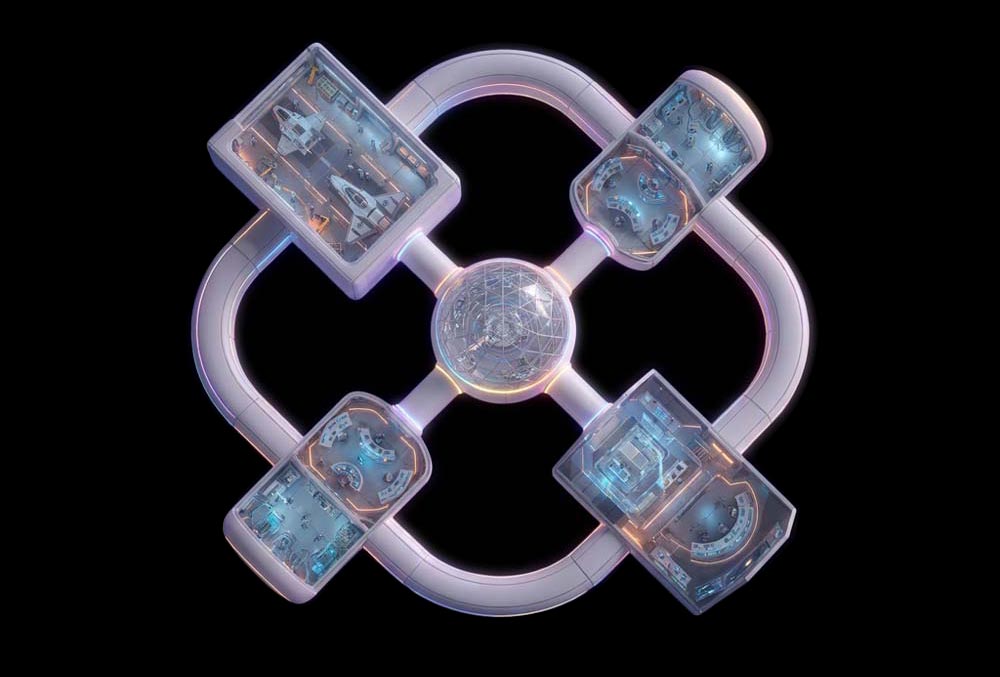
Command and
Operations
Every mission needs a central point of command. This is where space crews map their environment, set security goals and get a clear view of what they’re protecting.
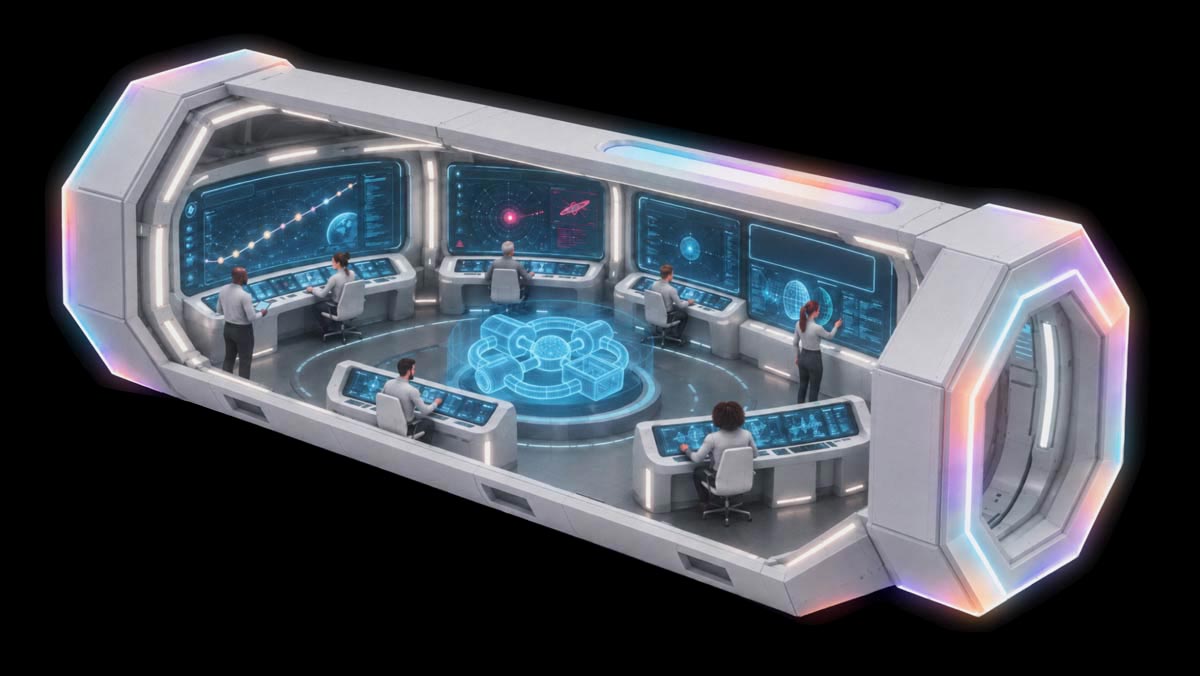
Mission Control
Mission Control gives your crew a clear view of the devices, identities, connections and activity across your environment. With signals in one place, the crew can spot gaps, track risk and measure progress before small issues become mission-critical.
Data and Intelligence Hub
The Data and Intelligence Hub is the brain of SALUS, processing raw data to keep the spacecraft running. As your cosmic analytics lab, it sorts signals, spots patterns and surfaces AI and data insights about objects in your orbit. By understanding data flows, your crew can predict system issues, strengthen protection and make smart decisions at light-speed, turning clarity into action.
Build your AI security
Entry 01.1.1
Holographic Station Map
The Holographic Station Map gives you a live 3D view of SALUS, from terminal rooms and access points to hatch controls, fuel sensors and power levels, to prevent your crew from flying blind. Think of it as your asset inventory being brought to life, helping you see what’s connected, spot potential risks and keep your growing environment on course.
- CIS 1: Asset Inventory and Visibility
- NIS2 | 12: Asset Management
- Essential Eight: Asset Visibility
Entry 01.1.2
Navigation Route Display
Every mission needs a trajectory or flight path. The Navigation Route Display charts your security journey like a star map, showing where you are and where you’re headed. It helps your crew plan upgrades, track maturity and steer toward stronger security without drifting off course.
- NIS2 | 1.1: Policy on the Security of Network and Information Systems
- Essential Eight: Maturity Progression
Entry 01.3
Secure Communications Console
The Secure Communications Console filters and blocks malicious transmissions, keeping your crew's messages safe as they travel across the galaxy. It's your shield against phishing meteors and malware debris, ensuring every signal arrives intact.
- CIS 9: Email and Communications Protection
- NIS2 | 6.9: Malicious Software Protection
- Cyber Essentials A6.2: Email Malware Protection
Entry 01.4
Threat Monitoring Radar
The Threat Monitoring Radar scans your internal and external environments for anomalies, suspicious activity and early signs of trouble. Continuous monitoring helps your crew detect strange activity, investigate signals and respond before a blip becomes a bigger threat and then breach.
- CIS 13: Continuous Monitoring Both Automated and Manual
- NIS2 | 3.2: Monitoring and Logging
- Essential Eight: Configure Microsoft Office Macros
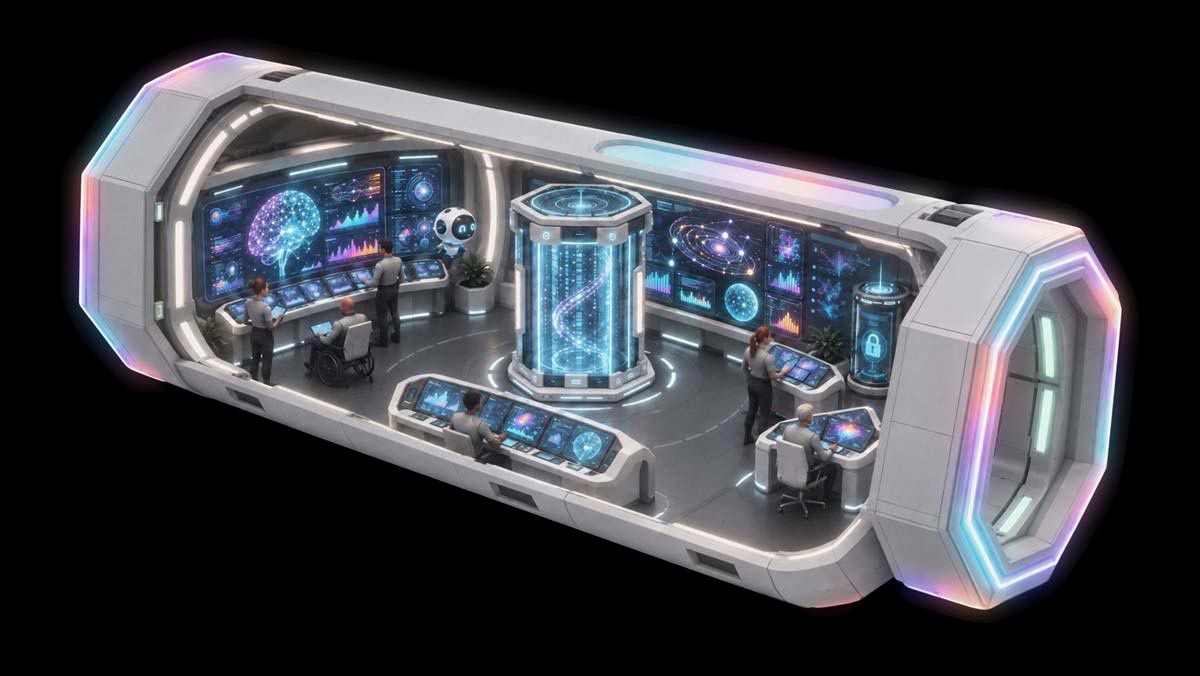
Entry 01.2.1
Data Monitoring Droid
Meet the droid that follows the data trail, helping your crew see what data exists, how and where it moves and what systems it touches along the way. Like a friendly data watchdog, it flags odd patterns, highlights unusual spikes and keeps your crew aware of what is and isn't normal, always scanning, learning and ready to point out something worth a second look.
- CIS 3: Data Inventory and Flow Mapping
- NIS2 | 12.4: Asset Inventory
- Essential Eight: Application Control
- Cyber Essentials A2: Scope Definition, A7: Secure Configuration and A8: User Access Control
Entry 01.2.2
Artificial Intelligence Activity Tracker
AI can move at lightspeed, so it's essential to know what it's doing at all times. The Activity Tracker gives visibility into how AI tools and software are used, logging their actions, decisions and conduct across the station. This way, the crew can maintain oversight, govern properly and ensure every bot stays on mission and doesn't stray off path or misuse data.
- CIS 2: AI Usage Logging and Oversight
- NIS2 | 3.2: Monitoring and Logging
Entry 01.2.3
Encryption Pod
The Encryption Pod locks down and shields your data from prying eyes. It's a secure chamber that protects sensitive data so it remains unreadable to anyone without the proper clearance, even if the data is intercepted or held for ransom mid‑transport.
- CIS 3: Future-Ready Data Protection
- NIS2 | 9: Cryptography
Terminal
02
Permissions and
Training
Humans, robots and AI agents may all work aboard SALUS, but they don't all get the same level of access or clearance.
The Permissions and Training Terminal combines permissions, oversight and training in one place so automation can move fast without leaving security behind. The crew knows who can access what, when and why, ensuring all staff know how to handle the appropriate controls for their roles.
Permissions Pod
The Permissions Pod manages who gets access to what, assigning privileges, maintaining governing guardrails and keeping identities verified. No one is above the principle of least privilege, including the station's captain. Every identity is accounted for, and every permission is intentional.
Threat Response Readiness
Threat Response Readiness is your celestial training deck, where your crew undergoes simulation runs, active drills and rigorous exercises to build their response skills for high-level threats before they occur in real time. From first alert to full recovery, the crew sharpens their instincts to react faster, coordinate better and resolve security disasters sooner.
Be threat-ready
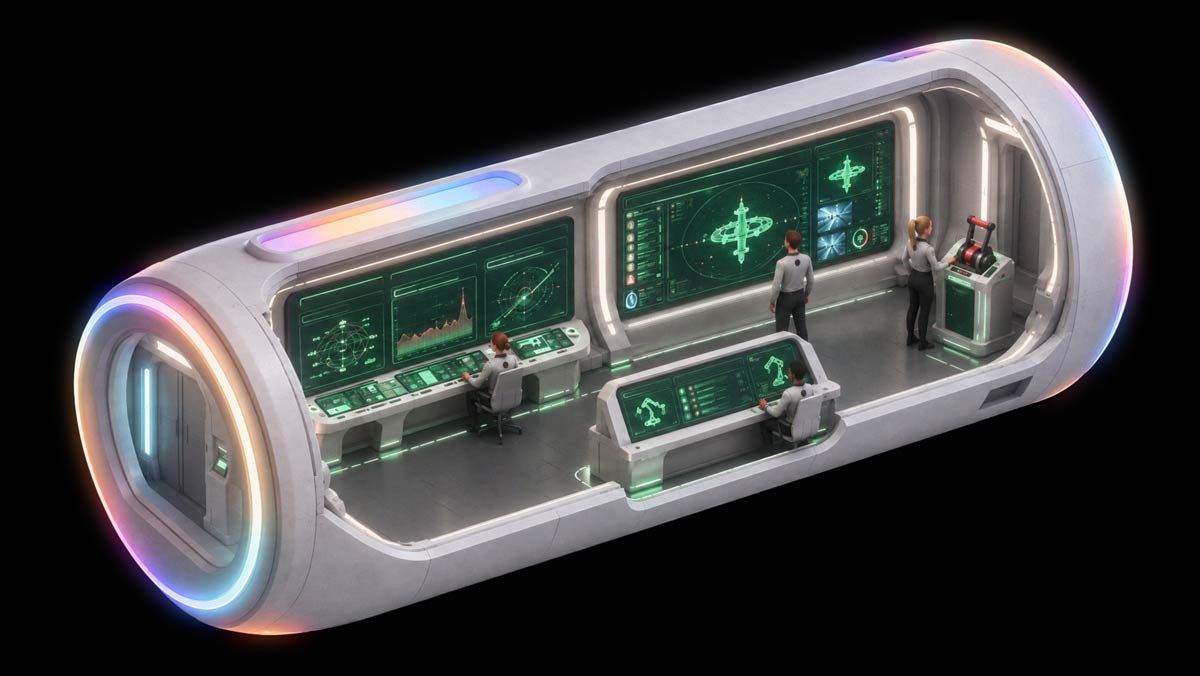
Entry 02.1.1
Robotics Permission Console
The Robotics Permission Console manages your AI agents and their identities, ensuring every bot knows its role and stays within its assigned mission parameters, granting and revoking access when necessary.
- CIS 5 and 6: AI and Agent Identity Management
- NIS2 | 11.1: Access Control and 10.3: Termination or Change of Employment Procedures
- Essential Eight: Restrict Administrative Privileges
- Cyber Essentials A7: User Access Control
Entry 02.1.2
Human Override Lever
Humans should always stay in control, no matter how advanced the tech. The Human Override Lever gives your crew the ability to pause, redirect or shut down automated actions when something feels off or a human decision is necessary.
- CIS 16: Human Oversight of Automation
- NIS2 | 6.2: Secure Development Lifecycle
- Essential Eight: Restrict Administrative Privileges
- Cyber Essentials A7: User Access Control
Entry 02.1.3
Security Operations Wall
The Security Operations Wall is your panoramic mission board. It displays an assembled view of alerts, activity and system health across the station. It helps your crew spot patterns and smoothly coordinate responses without hopping between systems and consoles.
- CIS 8 and 13: Unified Security Visibility
- NIS2 | 6: Security in Network and Information Systems
- Cyber Essentials A4: Firewalls, A6: Secure Configuration and A7: User Access Control
Entry 02.1.4
Incident Command Dashboard
A plan of action is the key to incident readiness. On SALUS, this dashboard guides your crew through response steps, communication flows and recovery actions when an incident occurs, such as a power outage, threat invasion or damaging hit from an asteroid.
- CIS 17: Incident Response Planning
- NIS2 | 3: Incident Handling
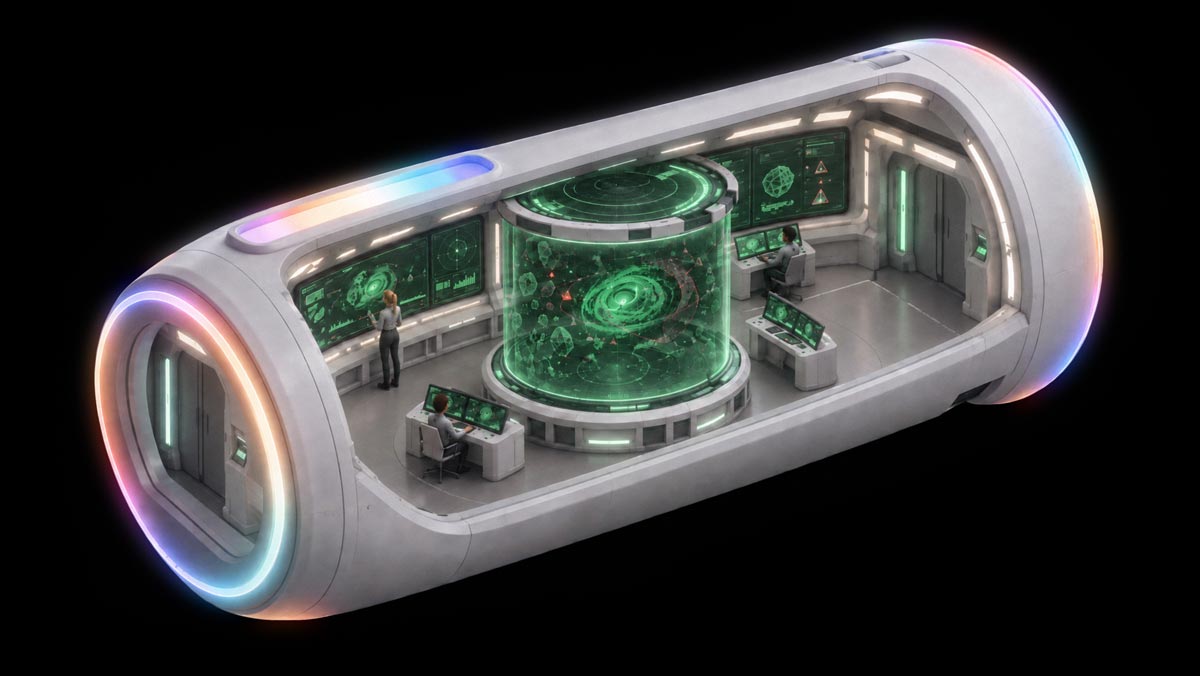
Entry 02.2.1
Threat Response Testing Simulator (ThRTS)
The Threat Response Testing Simulator is your holographic chamber for security training. ThRTS generates realistic threat scenarios and security exercises like phishing asteroids to malware storms that challenge how your crew makes decisions and works as a team.
- CIS 14, 17 and 18: Security Exercise, Testing, Education and Awareness Training Simulations
- NIS2 | 7: Policies and Procedures to Assess the Effectiveness of Cybersecurity Risk Management Measures and 6.3: Configuration Management and 6.5: Security Testing
- Cyber Essentials A5: Secure Configurations and A7: User Access Control
Terminal
03
Engineering and
Maintenance
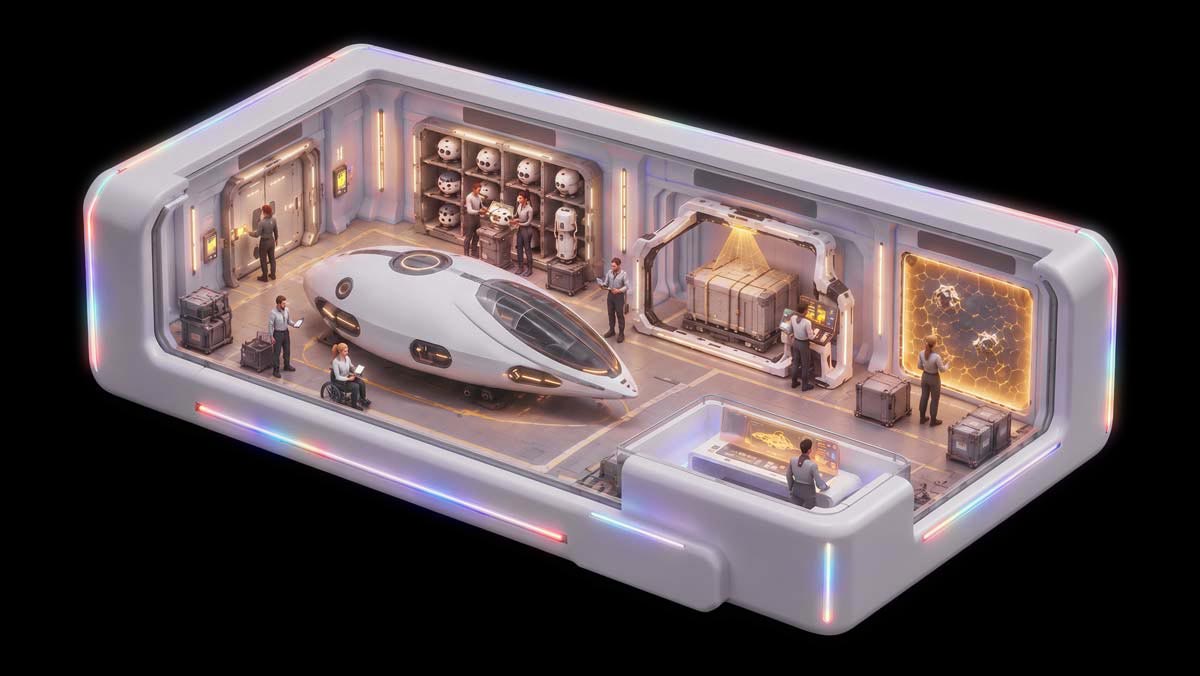
Just like your network, spacecrafts also need maintenance. Engineering and Maintenance is where your crew keeps SALUS running smoothly, patching systems, hardware and devices to fix security gaps or vulnerabilities.
This terminal is where MSPs harden systems, patch vulnerabilities, protect infrastructure and build repeatable security practices that keep the mission running.
Engineering Bay
Introducing the SALUS workshop hub. The Engineering Bay keeps systems configured, patched, protected and ready for whatever the universe throws their way to safely operate and grow faster without surprises.
Grow with us
Docking and Operations Hangar
The Docking and Operations Hangar is where SALUS connects with the outside world. This hangar scans incoming cargo, manages access points and endpoints, verifies vendors, supports infrastructure and shields the station from environmental hazards.
Streamline operations
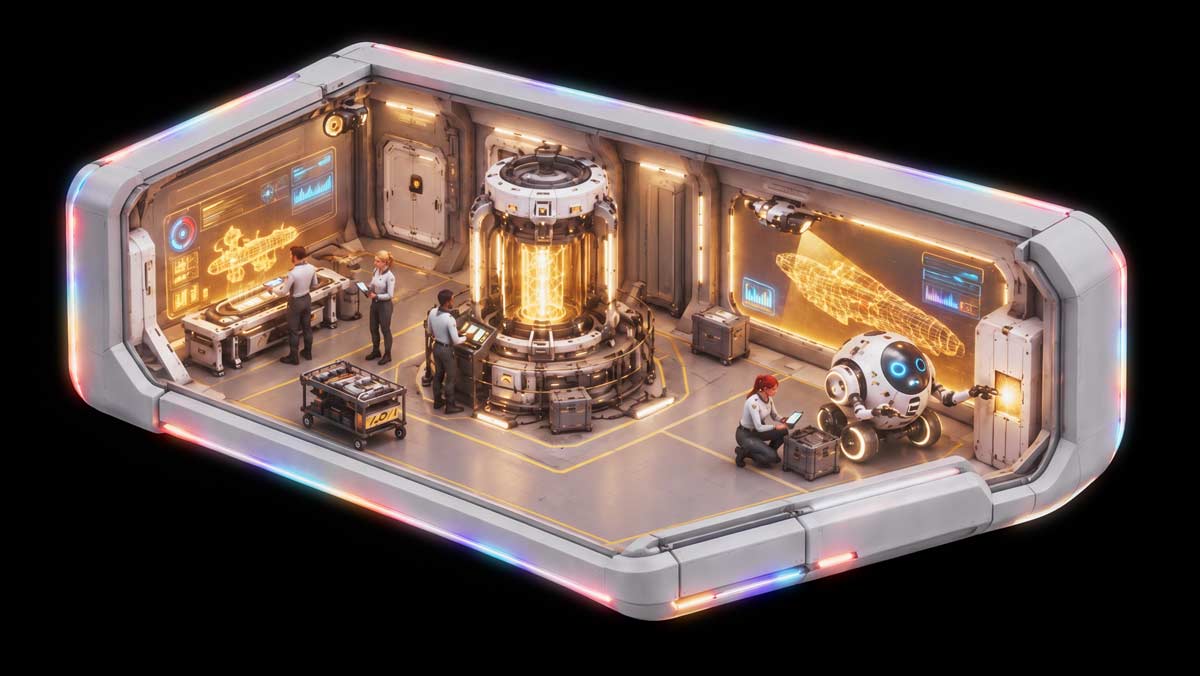
Entry 03.1.1
Secure Configuration Schematics
These floating schematics give your crew standardized security baselines for configuring technology consistently and securely, no improv or guesswork needed.
- CIS 4: Standardized Security Baselines
- NIS2 | 6.3: Configuration Management and 6.4: Change Management, Repairs and Maintenance
- Essential Eight: User Application Hardening and Configure, Microsoft Office Macros
- Cyber Essentials A7: Secure Configuration
Entry 03.1.2
Hull Vulnerability Scanner
Cracks in a system can become full-scale disasters. The scanner sweeps the station's interior and exterior for vulnerabilities, so your crew can find weaknesses and repair them before attackers do.
- CIS 7: Automated Patching
- NIS2 | 6.6: Security Patch Management and 6.10: Vulnerability Handling and Disclosure
- Essential Eight: Patch Operating Systems and Patch Application
- Cyber Essentials A4: Firewalls and A6: Security Update Management
Entry 03.1.3
Patch Droid
The Patch Droid is your speedy repair bot, racing through the station to apply updates and fixes. It keeps systems current, reduces exposure and ensures your station stays mission‑ready without manual intervention.
- CIS 7: Automated Patching
- Essential Eight: Patch Operating Systems and Patch Application
- Cyber Essentials A6: Security Update Management
Entry 03.1.4
Backup Power Core
When critical systems go dark, the Backup Power Core lights the way by saving backup copy files and restoring essential systems to keep the station running during emergencies.
- CIS 11: Data Backup and Recovery
- NIS2 | 4: Business Continuity and Crisis Management
- Essential Eight: Regular backups
Entry 03.2.1
Segmented Airlock System
One compromised section shouldn't expose the whole station. Segmented airlocks separate critical areas, helping contain threats and control lateral movement across the station's network.
- CIS 12 and 13: Network Segmentation
- NIS2 | 6.8: Network Segmentation
- Cyber Essentials A4: Firewalls and A5: Secure Configurations
Entry 03.2.2
Deflector Shields
Deflector Shields protect SALUS from physical and environmental hazards, like power fluctuations, facility issues, cosmic smog, asteroids, space debris and more. They keep infrastructure safe even when the galaxy gets unpredictable.
- NIS2 | 13: Environmental and Physical Security
Entry 03.2.3
Vendor Cargo Scanner
Outside vendors pose supply chain risks, so the Cargo Scanner examines every incoming shipment, checking its origin, contents and integrity to prevent suspicious or threatening materials from being onboarded.
- CIS 15: Supplier Security
- NIS2 | 5: Supply Chain Security
Entry 03.2.4
Droid Inventory Rack
This rack tracks every connected device, from maintenance bots and exploration drones to the crew's personal devices. It keeps you aware of what's active, what's permitted and what needs attention, so unapproved technology doesn't quietly creep in.
- CIS 1 and 2: Connected Device and Asset Inventory
- NIS2 | 12.4: Asset Inventory
- Essential Eight: Application Control and Microsoft Office Macro Controls
- Cyber Essentials A2: Scope
Terminal
04
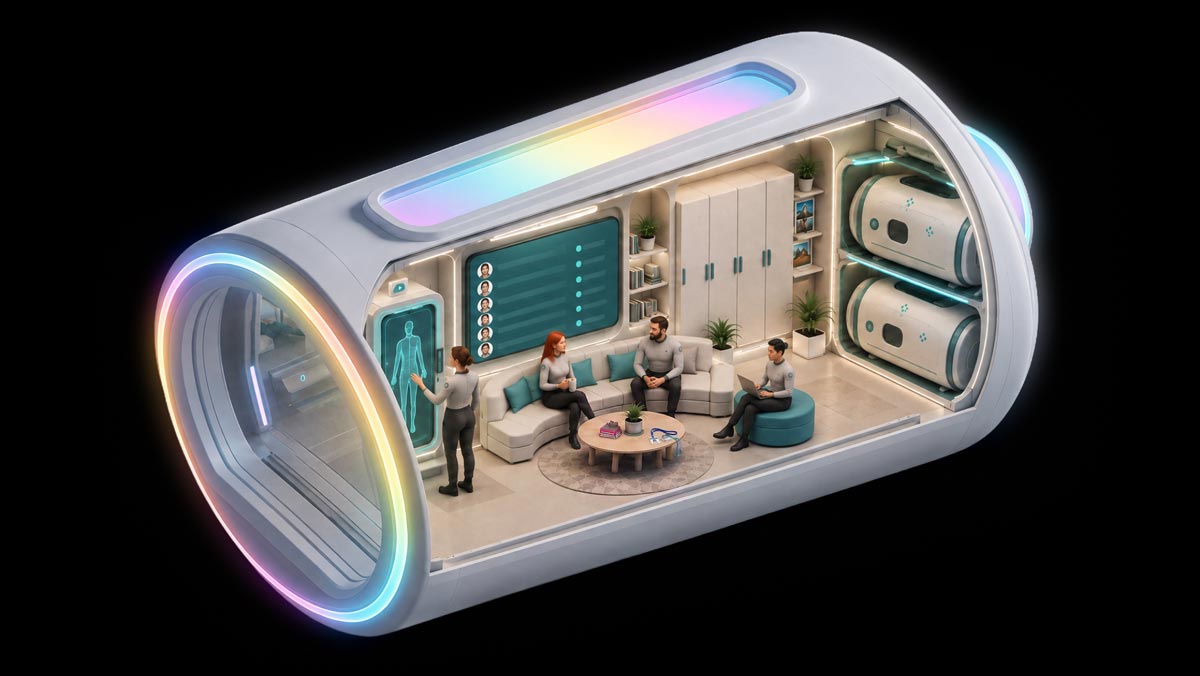
Crew Habitat
The Crew Habitat is the heart of SALUS, where the team can recharge, regroup and stay protected. It’s the terminal that strengthens identity controls, maintains staff safety, secures data and keeps your mission resilient and restorable.
Living Quarters
This is where the SALUS crew calls home. Identity checks happen at the door, access badges are enabled with least‑privilege precision and personal data stays secure in encrypted lockers.
Inside the habitat, biometric readings confirm who is coming and going and, most importantly, who's permitted to be there. Crew manifests circulate to check system clearance, onboarding or role changes.
Entry 04.1.1
Biometric Access Panel
This is where access control and zero-trust goes up a notch. The Biometric Access Panel adds another checkpoint, scanning fingerprints, irises or other crew identifiers before they can enter restricted areas. Multi-factor authentication makes it nearly impossible for threats to compromise identity.
- CIS 6: MFA and Identity Verification
- NIS2 | 11.6: Authentication
- Essential Eight: MFA
- Cyber Essentials A5: Secure Configuration and A7: User Access Control
Entry 04.1.2
Crew Manifest
The Crew Manifest tracks who’s aboard, who’s cleared for which modules and who’s undergoing onboarding or role changes. It keeps the station in order and ensures only trusted and authenticated crew members have access to mission critical areas.
- NIS2 | 10: Human Resource Security
Entry 04.1.3
Crew Access Badges
Your badge gets you where you need to go, not everywhere. Role-based permissions keep crew members limited to the systems and information required for their job.
- CIS 6: Least Privilege Access
- NIS2 | 11.2: Management of Access Rights
- Essential Eight: Restrict Administrative Privileges
- Cyber Essentials A5: Secure Configuration and A7: User Access Control
Entry 04.1.4
Personal Data Lockers
Personal Data Lockers keep sensitive crew information sealed, encrypted and protected from unpermitted access. They’re your secure vaults for mission notes, credentials and personal files.
- CIS 3: Data Protection
- NIS2 | 9: Cryptography
Entry 04.1.5
Escape Pods
When the mission needs to move to plan B, Escape Pods ensure your crew can recover quickly. These pods represent the recovery and continuity plans that keep your systems running when something goes wrong.
- NIS2 | 4: Business Continuity and Crisis Management
Whether you’re preparing to launch or ready to turn on the warp drive, Pax8 will help you apply these frameworks and provide your clients with stellar cybersecurity.
Build with Pax8